AI! Chatbot Agent-Ask & Chat
- 4.2
- Rating
- 1.00M
- Installs
- Free
- Price

 Analysis by App-foxy
I approached AI! Chatbot Agent-Ask & Chat as a practical productivity app rather than as a novelty chatbot. Its main appeal is the promise of bringing several current AI model options into one place, which can save time when I want to ask a question, reshape some writing, or compare the way different systems handle the same request. In everyday use, though, the value depends less on the short store description and more on how carefully I set up a task, choose a model, and recover when a conversation does not go as expected.
Developed by MATdev, the app is free to install and aimed at Everyone. It had reached over 500 thousand installs when I reviewed its position in the productivity category, with an average rating of 4.2 from around 19 thousand ratings. That combination suggests a fairly broad audience, but it does not mean every user will find the experience equally smooth. I found it most useful when I treated it as a flexible assistant for short, well-defined jobs instead of expecting it to replace a full office suite, a dedicated note-taking system, or a specialist research tool.
Where people usually get stuck
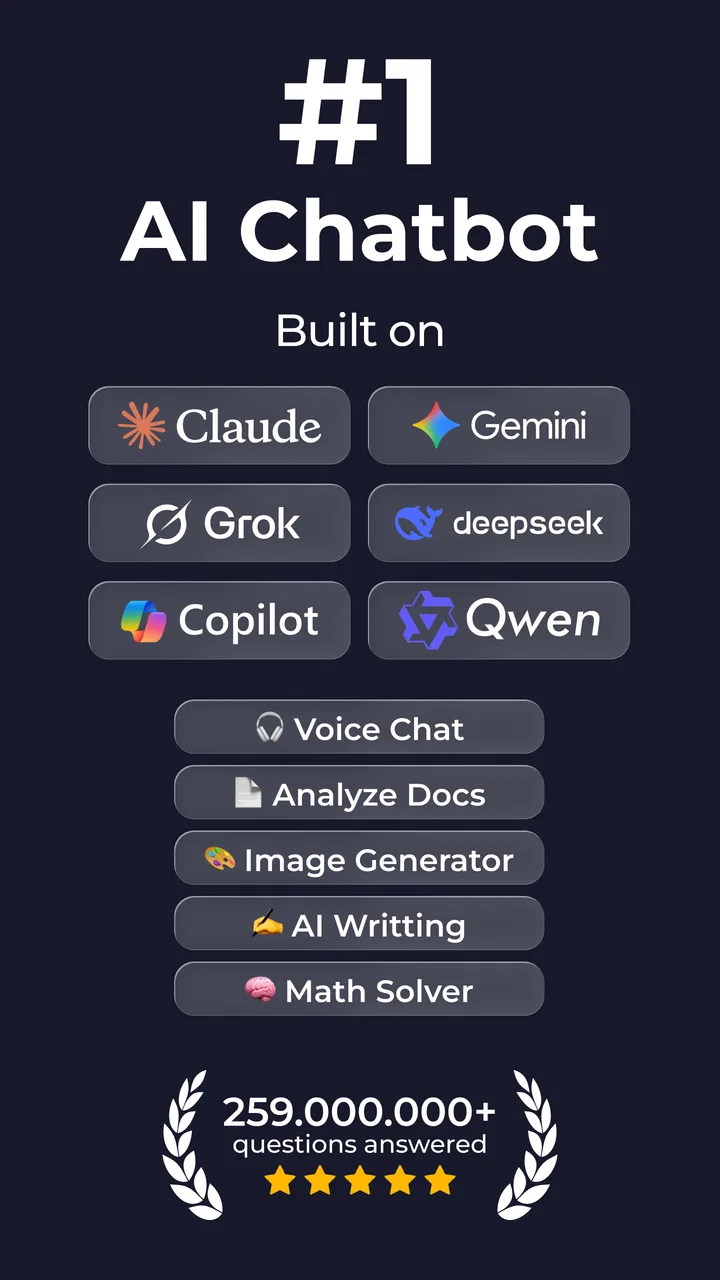
The first point of friction is understanding what this app is supposed to be. It is not simply one chatbot with one fixed personality. Its store summary presents access to several recent AI models, including GPT 5, DeepSeek, Gemini, and Grok. That variety is useful, but it also creates a decision problem: the same prompt may produce different levels of detail, tone, or reliability depending on the model selected.
You May Also Like

 Blood Strike: 2.5 Anniversary
Blood Strike’s Loadouts Turn Every Drop Into a Tactical Gamble
A close look at Blood Strike’s custom loadouts: how fast access to signature weapons reshapes its battle royale rhythm, rewards preparation, and narrows the gap between fights.

 Pandora - Music & Podcasts
Pandora’s Music Is Easy to Start, but Harder to Recover
Pandora’s strength is its low-effort path from a seed to a station. Its weak spot is how much confidence it asks you to place in connection, setup, and quiet recovery.

 8 Ball Pool
 Is Built on Rivalries, Rematches, and Routine
A close look at the rivalries, rematches, shared routines, and unanswered safety questions that turn a quick pool match into a persistent mobile community.

 Samsung Music
’s Quiet Strength Is Playing What You Already Own
Its reach comes less from spectacle than from dependable access to a personal library. That simplicity is both the app’s strongest retention engine and its ceiling.

 AccuWeather: Weather Radar
AccuWeather Review: A Quick, Clear Forecast for Everyday Decisions
For everyday plans, the best forecast is the one you can understand quickly. AccuWeather makes rain timing, radar, and local conditions easy to act on, with a few trade-offs.

 Hill Climb Racing
Why Hill Climb Racing Still Turns Crashes Into One More Run
A tiny car, a bumpy hill and one more upgrade: Hill Climb Racing keeps resurfacing because its simple chaos makes every near-miss feel personal.
More From Our News Desk



I recommend beginning with one ordinary task rather than testing every option at once. For example, paste a short email and ask for a clearer, friendlier version. This gives you a quick sense of how the conversation works, how responses are displayed, and whether the selected model fits your writing style. Starting with a simple request also makes it easier to tell whether a problem comes from the prompt, the model, or the app itself.
Another common stumbling block is asking for too much in one message. A request such as “organize my week, write five emails, summarize these notes, and create a study plan” may sound efficient, but it gives the assistant several goals to balance. I get more dependable results by splitting the work into stages: first extract the tasks, then group them, then turn one group into a schedule. This staged approach is one of the most useful ways to make a multi-model chatbot feel less unpredictable.
Users may also assume that a polished answer is automatically a correct one. I would not use the app as the final authority for medical, legal, financial, or other high-consequence decisions. It can help me understand a topic or prepare questions, but I still check important claims against appropriate primary sources. The ability to ask different AI systems does not remove the need for judgment; it makes it easier to compare answers, which is helpful only when I actually examine the differences.
There is a subtler issue with conversation context. If a chat becomes very long, the assistant may appear to forget an earlier instruction or give an answer that no longer matches the original goal. Rather than repeatedly correcting it, I usually write a compact reset message containing the purpose, relevant facts, desired format, and any restrictions. That small summary often works better than continuing to add corrections to a crowded thread.
What I check before blaming the chatbot
When an answer looks wrong, I first inspect my own wording. Vague prompts invite broad answers, while hidden assumptions can lead the assistant in a direction I did not intend. I get better results by naming the audience, tone, length, and output format. “Rewrite this for a customer who is already frustrated, keep the apology brief, and end with one clear next step” is much more useful than “make this better.”
I also check whether I selected the model I meant to use. With several model families available, it is easy to continue a conversation under a different choice without noticing. For brainstorming, a fast conversational response may be enough. For a delicate rewrite or a structured explanation, I prefer to compare two outputs and keep the parts that are genuinely useful rather than assuming the first response is best.
Input quality matters just as much. If I paste a long block of notes without labels, the assistant has to guess what is background, what is a requirement, and what is unfinished. I get cleaner results by adding simple markers such as “goal,” “facts,” “must keep,” and “format.” This is not a special feature; it is a workflow habit, but it makes a noticeable difference when using this particular app as a general-purpose productivity companion.
Setup checks that prevent avoidable problems
Before relying on the app for regular work, I would install it on a compatible device and make sure the application is updated. The current version is 3.1.8 and it requires Android 8.0 or later. Those details matter if the app opens inconsistently, closes unexpectedly, or behaves differently from what a newer device tutorial suggests. Updating is a sensible first step, but I would avoid assuming that every issue is solved by reinstalling.
I also pay attention to the first-run choices and the model selection screen. The app is free, but it includes in-app purchases ranging from $1.99 to $59.99 per item. I would review any purchase prompt carefully before confirming it, especially if I am only experimenting. A free installation should not be confused with unlimited access to every possible option or with a guarantee that every model behaves identically.
My preferred setup is deliberately modest. I start with one short conversation, use a familiar prompt, and note which model is active. Then I try a second request that requires a specific format, such as a numbered plan or a concise rewrite. If both behave as expected, I move on to longer material. This sequence helps separate basic setup friction from the more complicated problems that appear when a prompt contains multiple documents or instructions.
I would not begin by pasting sensitive personal information. Even when an AI tool is convenient, I remove names, account details, private addresses, and unnecessary identifiers before using text in a chatbot. For a work document, I replace confidential terms with neutral labels and restore them manually afterward. This keeps the app useful for editing and planning without turning a quick productivity task into an avoidable privacy concern.
It is also worth deciding where the final answer should live. A chatbot is good at generating or transforming text, but it is not automatically a durable filing system. If I ask for a project checklist, I copy the final version into the task app or document where I will actually maintain it. Otherwise, the useful result remains buried in a conversation and becomes difficult to find when the project changes.
A practical first session
For a first session, I would use a low-risk task with a visible success condition. A realistic example is preparing for a busy Monday. I might enter a rough list of errands, appointments, and unfinished work, then ask the app to group them by urgency and identify which items need a separate reminder. After reviewing the response, I would ask for a shorter version that fits into a morning checklist.
The important part is that I would not accept the schedule without checking it against real constraints. The app may organize the list neatly, but I still know which appointment has a fixed time, which errand requires travel, and which task can wait. The chatbot reduces the effort of structuring information; it does not know my calendar unless I provide the relevant details, and even then I verify the result myself.
This two-pass method is more effective than asking for a perfect plan immediately. The first pass is for sorting and identifying gaps. The second is for presentation. I can ask for a compact checklist, a message to someone involved, or a list of questions I still need to answer. That separation keeps the model from trying to solve planning, writing, and decision-making simultaneously.
Recovering a workflow when a response goes wrong
When a response stops following instructions, I avoid arguing with it through a long chain of corrections. I copy the essential material into a new, shorter prompt and restate the task. For example: “Use only the facts below, keep the three dates unchanged, and return a table with two columns.” A clean restart gives the assistant fewer competing instructions and makes it easier for me to judge the result.
If the response is incomplete, I ask for a diagnostic step rather than simply saying “try again.” I might request a list of the information it used, the points it could not organize, or the assumptions it made. This often reveals that the original input was ambiguous. Once I see the gap, I can provide the missing detail instead of repeating the same request and hoping for a different answer.
For long text, I divide the work into manageable sections. I first ask for an outline, then process each section with the same instruction, and finally request a consistency check. I keep the original text nearby because an AI-generated summary can accidentally omit a qualification. This workflow takes a little longer than one giant prompt, but it is easier to audit and recover when something goes off track.
Comparing models can also be useful, but I treat it as a checking technique rather than a contest. I give the same short prompt to two available options, then look for agreement on the facts and differences in interpretation. If both answers confidently state the same questionable claim, that is not proof that the claim is correct. The comparison helps me spot uncertainty and decide what deserves independent verification.
One non-obvious trade-off is that model choice can add cognitive overhead. If I constantly switch between options, I may spend more time evaluating responses than completing the original task. I therefore keep a simple personal rule: use one model for routine drafting, switch only when the answer is unclear or the task needs a different style, and save the final version outside the chat. The app’s flexibility is most valuable when it supports a decision, not when it creates more decisions.
When the app is not the cause
Some apparent failures come from the surrounding device or connection rather than from the chatbot itself. If a response is slow, I check whether other apps are also having trouble loading and whether the device has a stable connection. I avoid repeatedly tapping the send control, because duplicate submissions can make a conversation look inconsistent and may cause me to mistake repeated requests for different answers.
If the app closes or becomes unresponsive, I first reopen it and retry with a small, non-sensitive prompt. I also check that the operating system meets the minimum requirement and that the app is current. If only one unusually large conversation causes trouble, I start a fresh chat and work from a concise summary instead of assuming the entire installation is broken.
There are cases where the service behind a model may be busy or temporarily unavailable. In that situation, changing the wording will not necessarily help. I would wait, try a different available model if the task is not urgent, or complete the work manually. A useful recovery habit is keeping the original notes in a separate document, so a temporary chatbot problem does not erase the underlying work.
Likewise, a poor answer may reflect a task that needs a specialist application. If I need reliable spreadsheet formulas, version-controlled code, a searchable personal knowledge base, or a calendar that automatically enforces appointments, I would choose a dedicated tool. AI! Chatbot Agent-Ask & Chat can help me prepare content for those tools, but it is not a replacement for their structured controls.
Who will benefit, and who should choose something else?
I think the app suits students, writers, independent workers, and curious users who want one place to experiment with different AI assistants. It is particularly handy for turning rough thoughts into outlines, simplifying a complicated paragraph, generating alternative wording, or breaking a broad project into smaller questions. People who enjoy comparing responses will get more from it than users who want one fixed assistant with no model-selection decisions.
It is also useful for everyday communication. I can draft a polite follow-up, shorten a long explanation, or adjust a message for a different audience. The best results come when I provide the actual intent and constraints, not just the text. I still read the final message myself because an answer that sounds fluent can be too formal, too confident, or subtly different from what I meant.
I would be more cautious about recommending it to someone who wants guaranteed factual accuracy, a fully offline assistant, or a specialized productivity system with automatic organization. I would also hesitate for a user who dislikes reviewing generated text. The app can reduce the first-draft effort, but it does not remove the responsibility to check names, dates, calculations, tone, and implied promises.
Compared with a single-model chatbot, its main advantage is choice. Compared with a conventional notes or task app, its advantage is transformation: it can turn unstructured text into a draft, outline, explanation, or plan. The trade-off is that it may feel less focused than a dedicated tool. A single-model service can offer a more consistent workflow, while a task manager is better for tracking completion. I see this app as a bridge between raw information and a finished piece of work, not as the final destination for every productivity need.
My practical verdict
After using it as a general productivity assistant, I find AI! Chatbot Agent-Ask & Chat worthwhile for people who want to explore several AI model options without installing a separate app for each conversation. The free entry point makes it easy to test, and the broad Everyone age rating keeps its intended audience open. MATdev has positioned it in a useful space, but the experience rewards users who bring their own method.
My strongest recommendation is to use short prompts, clear stages, and an external place for final work. Start with a harmless task, check which model is active, and verify the result before building on it. If a conversation becomes confused, summarize the goal and restart rather than adding endless corrections. If the app appears broken, test a small request, check compatibility and updates, and consider whether the issue is temporary or specific to one oversized chat.
The current version, 3.1.8, supports the app’s role as a flexible AI workspace, but flexibility is not the same as certainty. I would choose it for drafting, brainstorming, summarizing, and comparing approaches. I would choose a dedicated alternative for permanent task management, sensitive records, or specialist work that requires strict accuracy and auditability.
My final view is simple: this is a useful conversation tool when I stay actively involved in the process. It can help me get from a blank page to a workable starting point much faster, especially when I use model choice thoughtfully. I would recommend giving it a try, while keeping expectations realistic and treating every polished response as a draft to review rather than an unquestionable answer.
FAQs for AI! Chatbot Agent-Ask & Chat
01What is AI! Chatbot Agent-Ask & Chat?
AI! Chatbot Agent-Ask & Chat is an advanced AI-driven application designed to provide users with instant assistance and information across various topics. Whether you're seeking advice, information, or just casual conversation, this app offers a seamless and intuitive chat experience, leveraging powerful AI technology for accurate responses.
02How does AI! Chatbot Agent-Ask & Chat work?
The app utilizes cutting-edge artificial intelligence algorithms to process and understand user queries. Once a question or command is input, the AI analyzes the context and provides relevant answers or actions. It's built to learn from interactions, ensuring that responses become more tailored and precise over time.
03Is AI! Chatbot Agent-Ask & Chat free to use?
AI! Chatbot Agent-Ask & Chat offers a free version with basic features accessible to all users. However, for enhanced capabilities and premium features, there is a subscription model. This provides users with additional benefits such as priority support, advanced options, and an ad-free experience.
04What are the main features of AI! Chatbot Agent-Ask & Chat?
This app boasts a variety of features including real-time question answering, personalized suggestions, language translation, and task automation. Users can enjoy an interactive interface that supports both text and voice commands, making it versatile for different preferences and situations.
05Is user data safe with AI! Chatbot Agent-Ask & Chat?
Yes, user privacy and data security are top priorities. The app employs robust encryption and security protocols to protect user information. Personal data is never shared with third parties without consent, ensuring a secure and private user experience while using the app.
Pros
- User-friendly interface for easy navigation.
- Supports multiple languages for diverse users.
- Quick response time enhances chat experience.
- Customizable settings for personalized use.
- Offers integration with various platforms.
Cons
- Limited free features in the basic version.
- Occasional connectivity issues reported.
- Some responses lack depth or context.
- Requires stable internet for optimal use.
- In-app purchases can be pricey.

AI! Chatbot Agent-Ask & Chat
Gallery